Three different people sent me the same link this week, which is usually a decent signal that something is either genuinely interesting or being very well marketed. In this case I think it’s a bit of both.
The thing is called Jev, from a startup called TypeSafe AI. It went generally available on Sunday. In its first 24 hours on Vercel’s AI Gateway it was picked up by about 13% of their paying teams – faster than any model they’ve ever carried. Worth ten minutes of your time to understand what it is, and about the same again to understand what it isn’t. If you’re looking to get your hands dirty – you’re out of luck – as of Tuesday 22nd – TypeSafe AI isn’t taking on any more tire kickers.
What it actually does
Every AI model most of us have used in the last four years is, fundamentally, a writer. You ask it something, it writes you something back. That’s the interaction model and we’ve stopped noticing it.
Jev refuses to write anything at all. You hand it some raw material – an email, a support ticket, a log entry, a document – and you ask it a question where you’ve already listed the possible answers. Is this billing, technical or sales ? On a scale of routine to urgent, how bad is this ? Is this person angry, yes or no ?
It picks one. That’s the whole output. No explanation, no “certainly, I’d be happy to help”, no prose. Just the answer, plus a number telling you how confident it is.
“Think of Jev as a frontier-intelligence function call: unstructured state in, typed probabilistic decisions out.”
Diogo Almeida, TypeSafe AI
It’s the difference between asking a colleague to write you a report and asking them to just point at the right folder. And if you’ve ever actually looked at what software spends its time doing – pointing at the right folder is most of the job.
Why anyone is excited
Two reasons and they’re both unglamorous.
It’s fast. Answers come back in well under half a second. A chat model asked the same question takes seconds, because it’s busy composing sentences one word at a time before it gets round to the bit you wanted. Jev produces the whole answer in one go. Ask it five questions about the same document and it answers all five in roughly the time it takes to answer one – which turns out to matter a lot, and I’ll come back to that.
It’s cheap. Roughly four cents per million words in, and the output is free. That’s not a discount, it’s a different order of magnitude.
Put those together and a whole category of thing that was previously too expensive to bother with becomes trivial. Every decision point buried inside a piece of software – which queue does this go in, does a human need to see this, should we escalate, does this look dodgy – can now have a bit of judgement applied to it for essentially nothing. The model is named after William Stanley Jevons, the Victorian economist who noticed that when something gets cheaper we don’t save money, we just use far more of it (Jevon’s Paradox). They are not being subtle about the thesis.
The bit where I stop being impressed
TypeSafe’s homepage says Jev is 193 times faster and 444 times cheaper than the alternatives. Those are lab numbers – a single isolated decision, measured against a single call to a big expensive model, on test cases the company designed itself. To their credit they more or less admit this in their own materials.
The real world figures published so far are a lot more modest. A production document pipeline saw about six times faster. An independent test came in around five. And in the most honest datapoint of the lot, one of TypeSafe’s own employees swapped a single step of a live pipeline over to Jev and measured a 15.9% speed improvement and a 30% cost reduction.
Not 193 times. Fifteen point nine percent – because replacing one link in a chain doesn’t make the chain much shorter. Anyone who has ever done performance optimization knows this feeling.
For the record – 15.9% is a good result, and the honest range of three to thirty times faster is an excellent one. I’d have more confidence in the product if the marketing had more confidence in the actual numbers.
The other claim doing heavy lifting is that Jev “can’t hallucinate”. This is technically true and practically misleading. Because the answers are listed up front, it can’t invent a fourth option when you gave it three. What it absolutely can do is pick the wrong one of the three and tell you it’s 90% sure. That isn’t hallucination in the technical sense but it’ll ruin your afternoon in exactly the same way.
And that confidence score – the thing that’s supposed to make this trustworthy – is the part I’d test hardest. Someone ran an independent check on it. On standard public test sets, the confidence numbers were honest and well behaved. On a set of invented support tickets the model couldn’t possibly have seen before, they drifted badly, and in different directions depending on the type of question – overconfident when picking from a list, underconfident on yes/no. Useful, but you’d want to calibrate it against your own data before you build anything load bearing on top of it.
What I’d actually do with it
Assuming you’re building something, a few things worth knowing :
Break the hard question into several small ones. This is the genuinely interesting finding. On a single difficult judgement call, a decent small chat model beats Jev comfortably. Decompose the same judgement into five simple typed questions and Jev wins – it went from 62% to 95% on one phishing test while the chat model it was up against actually got slightly worse. That’s an unusual property and it changes how you’d design around it.
Don’t trust the confidence number out of the box. Test it on your data, per question type.
It’s a component, not a system. It replaces the decision, not the pipeline. See the 15.9%.
Price your own workload. One developer found it 10-20x more expensive than the alternatives for his particular shape of traffic. TypeSafe also say straight out that they can’t prove the price isn’t subsidised, which I appreciate them saying and would still plan around.
Today versus where this goes
Today it is good at sitting inside software and making small, fast, cheap, repetitive decisions that previously needed either a rigid rule or an expensive model. Sorting, routing, triage, flagging, screening, guarding an agent before it does something silly. It is not good at anything requiring explanation, nuance, or a question you didn’t anticipate. It can’t tell you why. And it runs only on TypeSafe’s servers – no published research, no model you can run yourself, no option to put it inside your own building. In my day job that last one is the end of the conversation, not the start of it, and I suspect that’s true for a lot of regulated industries.
Where this goes is the more interesting question. I don’t think the bet is that Jev gets smarter. The bet is that “AI model that returns a decision instead of an essay” becomes a standard shape that everybody offers – it doesn’t look especially hard for the big labs to copy, and open source versions are apparently already turning up within days of launch. If that happens, the lasting contribution here isn’t this particular model, it’s the idea.
This is directionally very encouraging – we’re burning tokens at an alarming rate and using a warehouse sized brain to answer trivial classification questions – remember early ChatBots trying to auto-complete math questions and failing – now they just reach for a Python CLI. Horses for courses.
Jev went GA on 21 September 2026. Everything above was accurate the day after, which in this field gives it a shelf life of about a fortnight.
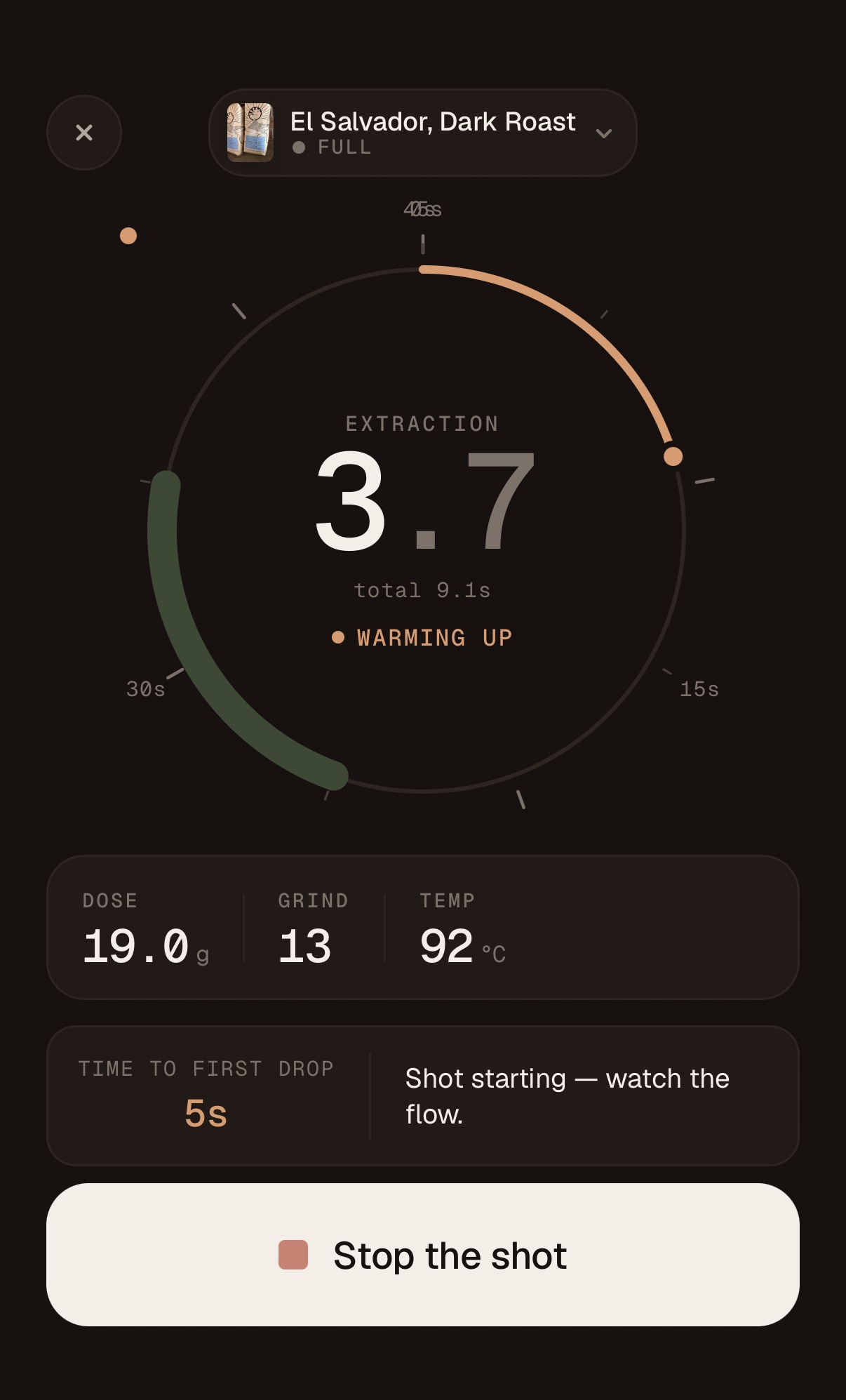
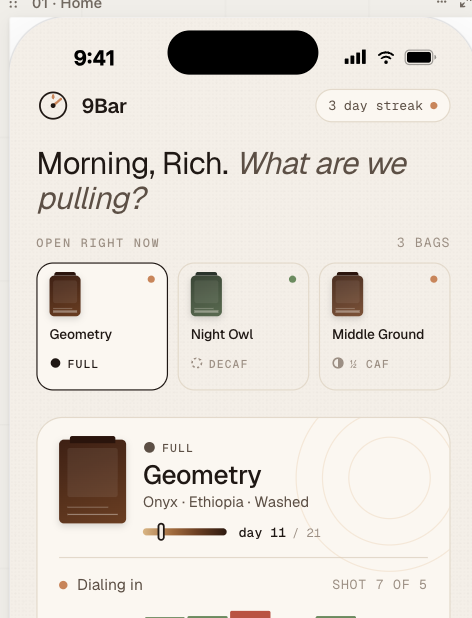
The next big feature is integrated the PullBook App with the Half Decent scale so I can completely automate the “pull a shot” workflow in the app but due to a shipping delay from Hong Kong all I have is a rough implementation and a simulator as shown below :
Status report – I gave the web site a bit of a makeover and improved the automation but nothing major. I also fixed a few minor bugs in the app and ended up in a bit of a merge hell. I have a branch open for the scales integration on one machine and working on bugs on another machine and at one point I just wanted the two Claudes to connect to each other and figure out how to move forward – relaying GitHub instructions through me was just slowing the whole process down and I don’t think I was adding much to the discussion. Anyway – everything got synched and committed and a new Apple TestFlight build is on its way.
I’m still manually onboarding beta participants – we’re talking small numbers so it’s entirely manageable but would love to automate this but away as well. My long term goal is to automate everything and reduce my role to design authority, product strategy, release planning / feature prioritization and any task that still needs a pair of hands to complete.
What this experiment has show me so far is :
I think my PM background and distance from the underlying tech is an advantage – there’s a strict division of labor between me (the what) and Claude (the how). I occasionally have to wade in with an opinion (usually in the form of a question) if I think the implementation may not be optimal. I’m equally open-minded and generally interested in Claude’s opinion of the what.
Everything is falling into place for self-improving / self-adapting software. Take the feedback, prioritize it, implement it, test it, ship it. Rinse and repeat. An external API changes or some other catastrophic bug – find it, fix it, ship the fix. All implemented with Claude in a local loop. There needs to be name for this.
At some point I need to invest a bit of time in automating the App store distribution – right now that’s very manual and requires XCode – my suspicion is that I will have to pay GitHub (for the OS/X images) or Apple – XCode Cloud and that would violate one of my requirements for this project that I don’t spend any money (beyond Anthropic tokens).
Reminder, if you are an Espresso aficionado, you might find the app very useful, more information here :
FWIW – my day job is running a largish (28 people) Product and Design team for Cellebrite. Cellebrite has nothing to do with Espresso – though some of the offices do have decent machines. I’ve been leading product teams for over 20 years and that background is driving how I develop software with Claude. For new feature releases I batch several related features (and bugs) and build them into a sprint – the sprint happens in a single branch. Sprints are 1-3 hours – usually on a Sunday when things are quiet. For major features I use plan mode judiciously – I rarely single-shot anything. While I have no desire to look at code (actually one of my goals) – I do want to understand how the design (technical and UX) is evolving and what the underlying data model is. I also have a medium term roadmap of sorts – and when I’m in plan mode with Claude – I’m constantly reviewing decisions related to the current work that may impact things I need to do in the future. This week’s Sunday sprint was a good example of that.
What I actually wanted was a more convenient way to sync data across devices (iPad, iPhone) – currently there’s a hack in place to back up and restore data to iCloud – it works but it’s a temporary hack. To access iCloud APIs – the app needs access to iOS native APIs so what I ended up doing was pulling ahead with the native wrapper work. I’ve been avoiding this because It adds a whole lot of Yak shaving – setting up an Apple Developer subscription, installing XCode, wrapping the react app with Capacitor, not to mention potentially breaking the app. In the pre-agentic world this would’ve been months of prep and work – now it’s the kind of thing you can pull off on a Sunday evening while half watching TV with wifey. The first step was planning – the work that needs to be done, the risk and mitigations – a few tweaks to the plan and go. The major worry was breaking the barcode reader – one of my favorites – the mitigation was pretty much a rewrite of that code. While Claude was coding – I set up XCode and signed up for an Apple Developer account.
After some jangling around in XCode trying to figure out how to get the app on my phone (without having to go via the App Store – something for another day) and backtracking to get the app icons in the right place. That small magical icon appeared on my screen. My first iOS app !
Click – nothing. Well not nothing, but the rendering was broken – somehow the screen dimensions were not taken into account so the app was visible just zoomed in to a region of the canvas with nothing on it – quickly fixed and redeployed. Straight to the home screen – loaded my current config and data and looked like everything was working – except dark mode – what happened to dark mode ? Another debug session and quickly fixed and redeployed. From visual inspection – everything looked to be working – probably 90 minutes to wrap a reactive app with Capacitor and change to native calls.
The thing I actually wanted was iCloud synching – so I started a smaller sprint to get that working. I thought it would be smaller – a fair amount of debugging was required here and I’m starting to think Claude really isn’t quite expert level (yet) – it has the breadth maybe, depth I’m less sure. It took some debugging and some design iteration but we got there eventually. I don’t think an expert would make the kind of mistakes I experienced during this sprint and it’s disconcerting when Claude admits – “oh yeh, I should have realized that function would fail if we hadn’t initialized the XYZ first”. Early days I guess. At some point – I may run the repo against another coding agent and get a second opinion on some of the design choices.
So I now have a fully functioning iOS native app running on iPad and iPhone with iCloud synching across devices. I’ve also published the app through TestFlight so if you are interesting in trying it you can sign up here. Part of the publishing flow discovered that the 9Bar name was already taken so had to rename the app – that was a lot of changes. Next time Claude suggests a name – I’ll ask it to verify domain names, app stores, USPTO, etc. Trust but verify !The next significant enhancement is integration with the Half Decent Scale – this will be a real test for Claude – this involves controlling a remote device over BLE.
OK a bit more agent wrangling on the two apps. over the weekend. Just a reminder : there’s a semi-serious app for producing 508 Compliance VPATs (A11yBot) and my lifestyle project 9Bar – which is basically an Espresso co-pilot / log book. For both projects I needed an easier way for people other than yours truly to access and run them without a build environment, so for now at least I went with npx – that means the any user can just :
npx @richsharples/a11ybot@beta
or
npx @richsharples/9bar@beta
For 9Bar – I plan to eventually convert it into a native wrapped iOS app and push it through the Apple AppStore with a hosted backend but for now a rea ct web app running on a machine on the local network works fine while I finesse the UX and the espresso pull logic / AI. For A11yBot – running locally with npx is probably good enough – people rightly have issues letting hosted scanners access their IP.
When I started on this journey I had a few of goals / principles in mind:
I’m not interested in looking at code, learning new frameworks, or remembering language syntax. When I was a full time developer many decades ago I took pride in knowing more then my peers and have always had a high tolerance for getting into the details. Not any more – I just don’t think that stuff matters any more.
While I’m a problem solver at heart – I don’t have a high tolerance for all of the accidental complexity and yak shaving that comes with modern software development – Git Syntax, GitHub actions, access tokens, npm publishing – it’s all incredibly awesome but like all good technology it just needs to fade into the background.
Have fun and learn something.
There is no doubt that Claude knows code, knows frameworks, can make good technology and architectural decisions and can work the local loop fine, but it is much less competent at understanding the more complex outer loop. I had to do a little research on the state of the art of publishing node packages from GitHub and provide a bit of direction. Not full on yak shaving but still a little frustrating and a lot of tokens burnt in vain. I do wish LLMs would occasionally pause and ask for help or guidance rather than just brute force ahead.
But let me put this in perspective – I spent a couple of hours on a Sunday afternoon, spent enough time on each project to implement a few more features – some trivial, some not so trivial, open sourced the A11yBot project under ASL 2.0, did a security and A11y review, wired up GitHub to build, scan and publish to npmjs.org when I cut a new release of either app. Without Claude – I probably would’ve got bored and given up at some stage – probably trying to fix some n00b syntax error. I certainly could not have achieved all of this within a few hours. This really is democratization of technology in action – right now, you still need to know a bit about the process of making software, but I’m sure all of this stuff will be significantly easier in the next 6 months.
Claude Opus 4.8 dropped on the Friday and I did switch over for a few sessions but whether it’s overloaded with users or has bigger issues I had to switch back to 4.7 for better stability. At one point Claude apologized that it had spent a lot of tokens on a design change that wasn’t needed and had to roll back the changes.
I’ve noticed I’m burning through tokens at an impressive rate – I’m not really tracking the costs it right now but suspect I’ll need to move to the Max 5x ($100 / month) plan and look at some of the tools for optimizing Claude code usage – I’m sure my current use of claude looks something like the picture above. But I’m having fun and that was one of my goals.
Although I haven’t been a full-time developer for well over 25 years, most of my career in product leadership has been in support of people building, deploying, and managing software systems, so I’ve always maintained a close interest in the art and science of software. With only a few exceptions—pretty much every year for the last 25 – I’ve managed to find a reason to actually write some code. I’m a big fan of learning by doing.
The early AI augmented co-pilots were very useful for someone who, like me, is not a regular coder and doesn’t have the time to learn the latest language, framework, or stack. The first vibe coding platforms were even more useful—producing running prototypes from simple prompts but the tools quickly became confused after a few iterations.
In the last 6 months, though—I feel like we’ve hit a significant step change in capability. On rainy Memorial weekend this year, I jumped into full AI development using Claude Design/Code, and I am pretty blown away with the speed and results.
Over the last 3 days, I developed two non-trivial apps—both of which would’ve taken me months to hand-code. Note in aggregate – I suspect I only spent about 5 or 6 hours actually developing software.
The work-related app
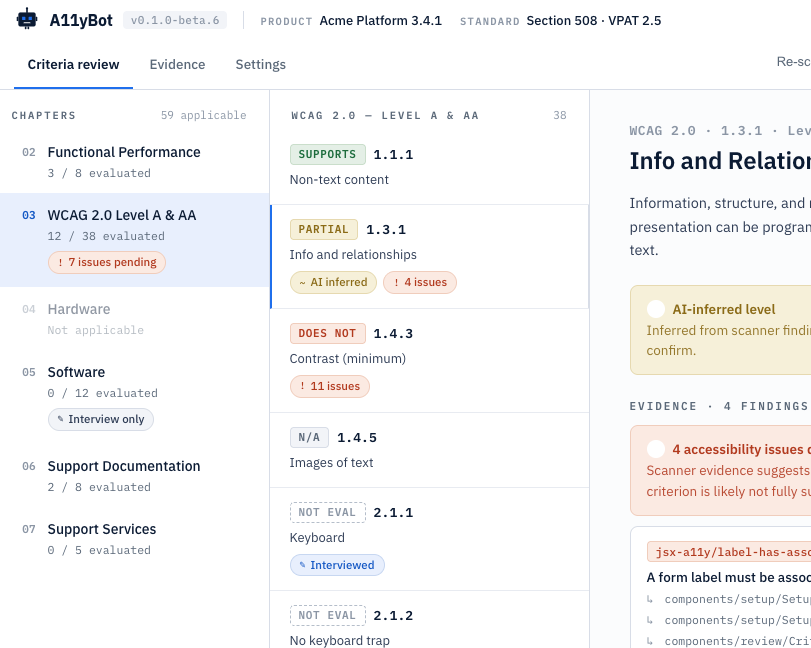
This first (A11yBot) is a web-based tool for completing Accessibility documentation (aka VPATs)—something most government customers require but part of the “whole product” that is usually de-prioritized. Yes, there are commercial apps, open-source apps and even commercial services for producing A11y report – but that’s not really the point – it’s a rich enough space to make a good target app.
A11yBot Design
The A11yBot app runs locally, scans source code and a running web apps, and produces a VPAT report covering the standards you have selected. AI-generated responses synthesize the evidence from scans and completes the report. It supports the major Accessibility standards in the US and internationally. You can plug in an LLM for the AI response generation using OpenRouter or hook up to local models using Ollama APIs.
For this app – I started with a two-page-long specification outlining the MVP, goals (as automated as possible), and constraints (easy to run locally). From that, I asked Claude to produce a design – schema, workflow, and technology stack. Got the first working release in about 30 minutes and pushed it to GitHub as a baseline.
Running local models, scanners, test environment, and builds on a 24Gb M5 MacBook doesn’t work well, so I invested time in using the remote option in Claude Code so everything is running on a bigger Mac mini in my office. I have a suspicion that Claude leaks Chrome helpers as well – ended up with hundreds consuming about 70Mb each. Reboot time.
I also spent time trying different local models (via Ollama) for the report generation, then had Claude implement an OpenRouter API so I could use larger text models – huge improvement in speed and quality. Tldr – the big hosted models are a) much faster; b) produce much better outputs. You pay for what you get.
After several iterations – the app functioned well but looked like crap, so I opened Claude Design, asked it to do a design review (just needs access to code), and then to come up with a better design. Also added a dark mode switcher and took care of some outstanding A11y issues. It took about three more sprints (maybe 2 hours in total) to get all this work done, which required some restructuring and updates to the underlying data model, but this phase truly left me impressed. I realize Claude Design is still new, but it can already do some impressive work – I need to invest more time. Once Claude Design is fully integrated with Claude Code – it will be incredible – for now you just have to copy whole design briefs over and have Claude Code ingest them.
The A11yBot project is available on GitHub under – feel free to take it for a spin. If enough people are interested – I’ll invest more time in it and push it to npmjs to make it even simpler to run and probably license it under ASL2.0. Likewise – if anyone wants to improve on it – bring your robots !
The lifestyle app
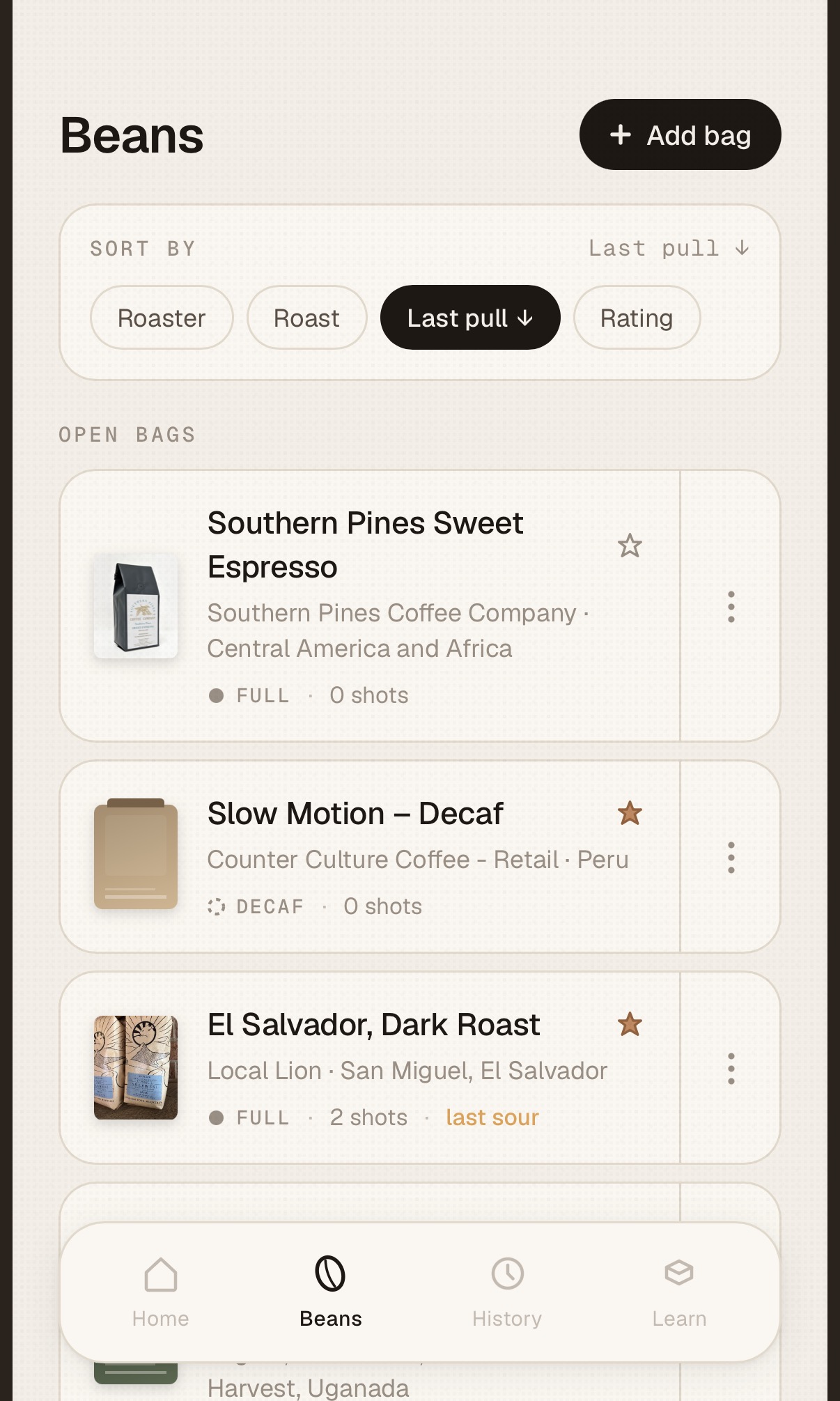
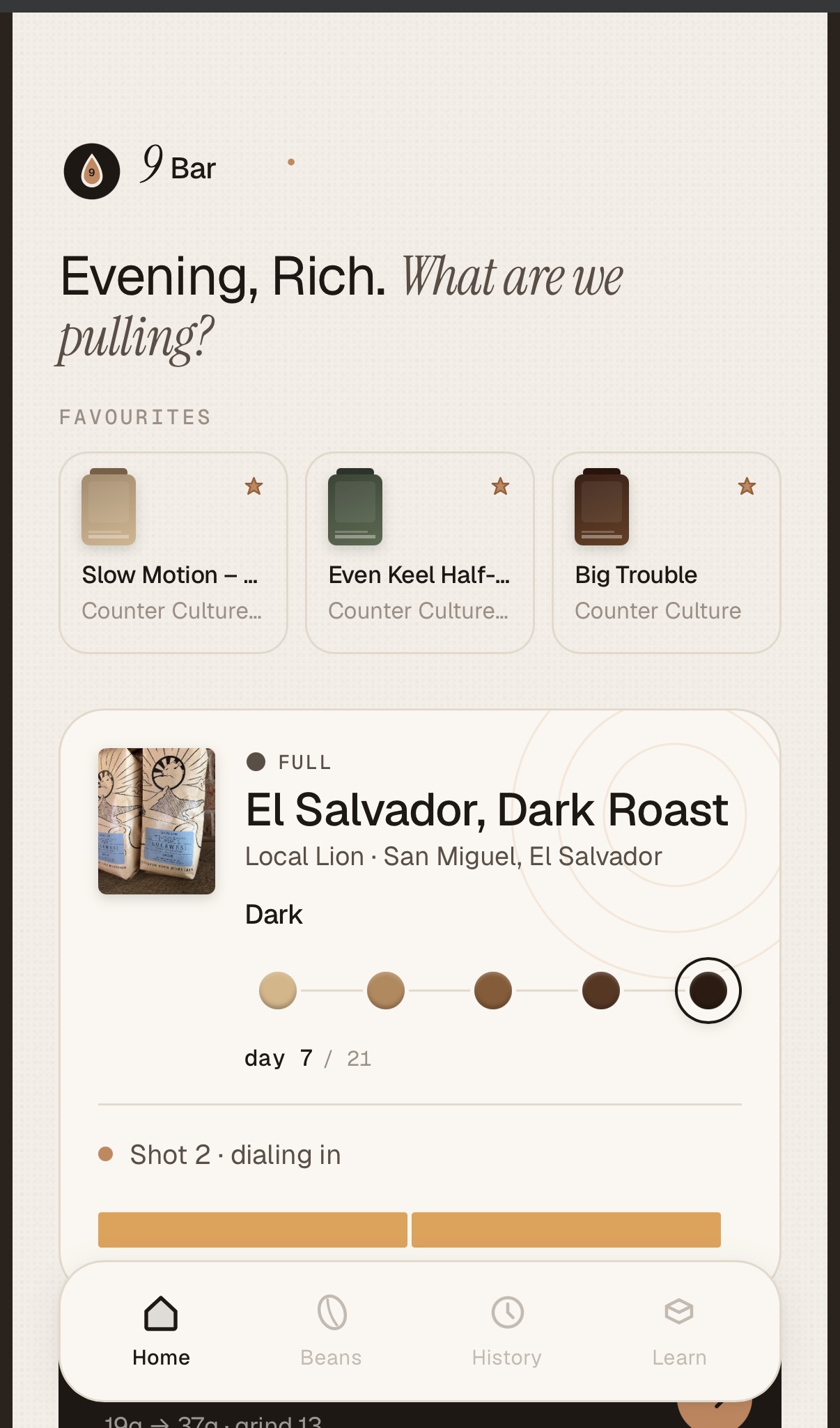
The next app came off the long list of apps that I wish existed. I’m a bit of a home Espresso aficionado and go through a manual process of dialing new beans (dose, grind, extraction time, etc.) – the science/logic is well established, but I’ve never seen a decent application to make it easier.
9Bar Design
Unlike the first app, I had a very good sense of how the app should behave, so I started in Claude Design (oops, ran out of credits) rather than diving straight into code gen. I started with a one-page specification describing the manual workflow and form factor – iPads, iPhone, and the areas I thought could be improved with an app.
MVP is:
loading a new bean – scans QR code and pulls details from the roasters’ website, or you can enter details manually.
Maintaining your Bean database (hopefully with the perfect extraction parameters).
Running an extraction, recording parameters like dose, grind, time, etc.
Taking user input on taste and giving advice on how to improve the next extraction.
I handed over the Design spec to Claude Code – asked it to come up with a schema and technical design and then let Claude go in full auto mode (oops, out of credits again).
I had to do a fair amount of debugging and research with this one (maybe 30 – 60 mins.) – especially the QR code reader. And I had to do two extra test shots to get the flow right – buzz!. I’m not making this repo public for now – need to iterate on it some more but may share it in the future. I also think this App will scale up well – the more people use it the more data on perfect extractions will be available without the need for experimentation.
Lessons Learned
A few things I’ve learned through this long weekend exercise:
For anything but minor fixes – do focused design / plan session – that gets you down to a very specific plan and goes much quicker
Maintain a regression suite. After major revisions, ask Claude to update regressions tests – I mostly do this for the data layer and APIs. Also, have some baseline reports to black box test end to end.
As long as I’m working on my own, I’m just working on the main branch though I’ve used feature branches for more speculative / risky stuff. Right now, I’m just letting Claude deal with GitHub.
Experiment in branches – code is now cheap – if the change doesn’t work, abandon the branch.
To do any kind of development, you need a $200 / month plan – I’m guessing full time devs are burning through $1000’s a month ??
Ask Claude to delegate visual testing back to you – watching Claude do testing via Chrome with screenshots is painful and very slow and no doubt burns tokens
Cost aside – code is cheap. I did start logging issues in GitHub for future work but quickly realized it takes only a little more (of my time) to ask Claude to code it.
If you have multiple machines – there are various ways you can leverage them – I’m using SSH to run stuff on my Mac mini while working on my laptop.
I find working in focussed sprints much quicker and less likely to exhaust / pollute the context window (mine and Claude’s!).
Batch up small fixes into a single prompt. This fits with how I work – I’ll run through the flow and make notes then ask Claude to fix them before the next iteration. Bigger stuff goes into a separate sprint.
Use /clear regularly – I use /clear as a matter of course when I’m starting a new “sprint”
The collapsed feedback loop is a true game changer – you can sit down with a user (myself included, in this case) and iterate in real time.
I’ve become acutely aware of token costs and have already started reading tips on token frugality.
Note – I’ve used the word sprint here – to me that’s a focussed batch of work with some outcome but instead of taking 2-3 weeks – it takes between 5 and 15 minutes with Claude.
In a previous life, I was a developer for about a decade – Assembly, C / C++, Fortran, Smalltalk, Java, I used to love developing software – you get a real sense of accomplishment but I never had the patience for the yak-shaving, obscure language syntax or arcane behaviors of someone else’s framework. Removing coding tasks from software development has been a dream for decades but we’re getting dangerously close to finally achieving it IMO.